Pages

Tuesday, January 29, 2013

Mandy Pabon's Histology Slides: Google Presentation


Please watch a videowith Ms. Pabon explaining how she incorporated Google Presentations with her Anatomy & Physiology (Forms V and VI)
students. The hardest part about teaching a lab-based science is to figure out whether students are looking at the right specimen in the microscope. To make sure that students are looking at the human tissues, instead of observing air bubbles, dust and eyelashes and thinking that these are the specimens, Ms. Pabon put together the histology slides. She took pictures with a digital camera, uploaded them into a Google presentation and shared with her students. The students had an assignment to look at several tissues in the microscope and answer questions about these tissues.

How to Create a Google Presentation?

Go to faculty.polyprep.org and log into your account. Select My Docs from the Menu.


Click on Create > Presentation


How to Insert Images?


There are a few ways to insert an image into your presentation.

You can Drag-and-drop an image from your computer directly into a slide or click the Insert image icon in your presentation toolbar.


You can use your webcam to take a snapshot or enter the URL of a publicly available image from the Internet.


You can also upload an image that’s saved to your computer.

How to Add Text and Draw Lines or Shapes?


You can type text, draw lines, shapes and other objects in Google presentation.


Chat and Comments


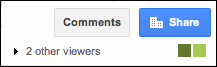
Google Drive lets multiple students in classroom or at home collaborate simultaneously on the same file from any computer with Internet access. When someone is viewing or editing something at the same time as you, you’ll see a colored tile with their name in the top right of your screen.

collaboration tiles

Click on the colored tile and start to chat with your collaborators.


Click on Insert comment button and type your comment in a window.


Additional Resources


Thursday, January 10, 2013

Mr. Adam's Schedule in Google Spreadsheet

Last month, I wanted to meet with our new Debate Coach and English teacher, and, to my surprise, he suggested to signup using his online schedule, a Google spreadsheet file shared with our faculty and students. I found this schedule very useful and decided to create the Technology Integration spreadsheet for our faculty as a convenient and easy way to signup for training sessions with us. 
Please watch a video with Mr. Adams. 


According to Mr. Adams, "students (and the faculty) have 24-hour access to my schedule, so they don't need to track me down. Students sign up themselves so no questions about whether the time or date is right. I offer them the chance to sign up in class during writing assignments, etc. You have to monitor the schedule and keep it up-to-date."

Screen Shot 2013-01-08 at 5.10.34 PM.png

How to Create a Google Spreadsheet?


Click on Create and select Spreadsheet
Screen Shot 2013-01-08 at 5.06.51 PM.png


To change the cell color:

Screen shot 2013-01-09 at 8.49.28 AM.png

Click on the cell that you wish to change the color of, then click on the paint bucket tool to alter the color of your cell.

To change the font size:

Screen shot 2013-01-09 at 9.04.21 AM.png

Click on the cell you wish to alter the font size in, then click on the box shown above with a number in it, then select your desired font size.

Copying Columns


To avoid having to re-enter your class schedule and having to re-color the cells, copy and past the columns from week to week.

Notifications


Screen Shot 2013-01-09 at 9.39.37 AM.png

You can set notifications to find out when your collaborators have modified your spreadsheets, and learn what sheets or cells they've modified. You can also choose how often you'd like to be notified. Here's how you can enable notifications:
  1. Go to the Tools menu and select "Notification rules."
  2. In the window that appears, select when and how often you want to receive notifications.
    • Click Save.
    Screen Shot 2013-01-09 at 9.39.44 AM.png

    Screen Shot 2013-01-09 at 10.41.10 AM.png
    To see the additional resources on Google spreadsheet, please visit our wiki.

    Monday, January 7, 2013

    What are Infographics?


    What are Infographics?   

    Infographics (information graphics, data visualization, information design, or information architecture) are graphic visual representations of information, data or knowledge intended to present complex information quickly and clearly.

    Many teachers are using infographics in their classrooms.  Check the following links from the New York Times' blog the Learning Network:

    The best Times infographics for social studies, history, civics and economics

    Immigration Explorer
    Immigration Explorer
    The best Times infographics for science and health


    external image 01spell.950.2.ready.jpg

    Check these links to see more infographics:

    Infographics on Technology and STEM Education
    Cool Infographics Gallery
    Infographics as a Creative Assessment  I hope all these links inspired you to create your own infographics and you would like to know how to create them.

    How to Create Infographics?

    it's time-consuming to create infographics in Illustrator and Photoshop. In this fifteen minute video below Linda Braun explains how to create an infographic with these free online tools.


    Creating infographics | screencast tutorial from School Library Journal on Vimeo.

    Three Free Tools for Creating infographics


    external image Screen+Shot+2012-05-11+at+11.07.37+AM.png


    Easel.ly provides a canvas on which you can build your own infographic by dragging and dropping pre-made design elements.

    This is Easel.ly tutorial for educator:


    external image infogram.png


    Infogr.am is an online tool for creating interactive charts and graphs.

    infogr.am comes with many templates, so you can just pick one that suites your infographic and start adding your data:
    • pictures from your computer
    • data from your Excel sheet
    • quotes
    • publish and share your infographics via twitter, facebook, pinterest or embed in your website.


    external image visual.ly.png


    Visual.ly allows you to see the best infographics on the web all in one place and submit your designs to get exposure and feedback.

    Tuesday, September 18, 2012

    Mindsets and Motivation Online Course

    The Mindset Works EducatorKit Mindsets and Motivation course is developed to provide teachers with the growth mindset knowledge and tools to help them support their students’ learning and success.  The core training is comprised of five online modules that each take 10-18 minutes to complete, and additional tools help staff teams and individual teachers implement mindset practice.

    If you have an account with the the Mindset Works and purchased the EducatorKit go to http://community.mindsetworks.com to access the Mindsets and Motivation course and click on the tab “Educator Courses.” 

    Watch the Mindsets and Motivation introduction video:


    The course consists of 4 modules:


    In Module 1, you'll learn about two mindsets that students can have about their ability, and how they impact behavior and achievement.  You'll learn how to assess your own students' mindsets and identify areas for focus in your classroom. The Mindset Assessment Profile is a useful tool which helps teachers to assess students’ mindsets—their beliefs about the malleability of intelligence, the relative importance of learning and perfect performance, and their attitudes toward effort and mistakes.  Teachers can interview the students using questions from the Mindset Interview Protocol.

    In Module 2, you'll learn how the messages we give students through feedback impact their mindsets and performance, and how we can promote a growth mindset through framing and feedback in  classroom. Teachers can use the Growth Mindset Framing Tool or the Growth Mindset Feedback Tool to practice growth-mindset focused language during interaction with a particular student.

    In Module 3, you'll learn how the brain changes through learning, and about the teaching and learning practices the support this development. Based on the motivational and mindset profile of students, teachers can use or adapt one of the Goal Setting Tracking Templates from the Resources links to help them to set a goal for mastery of a key skill or concept.

    In Module 4, you'll learn about how teaching students about the malleable brain develops motivation and improves performance. Teachers will learn how to introduce the malleable mind to your students, and how to teach them effective learning strategies. Teachers can have your students review the Study Tips Planning Guide and identify “brain-wise” strategies that they already use and some that they would like to try, create a goal, and plan how they will achieve it.


    Resources for Student Interest Inventories & Applications
    Guidelines and process for building on students’ interests, including sample inventories.

    Examples of unit & lesson plans connecting to students’ interests:
    Social studies unit on world religions, including a student interest inventory.
    Geography lesson using technology to map students’ communities. (Click on link to “Procedures for Teachers” and scroll down to Steps/Introductory Activity.)
    Math lesson using key skills to calculate cost of living independently.

    Teacher-created math rap videos:
    HS Math Rap with teacher and students
    Triangle Experts
    Graphing Trig Functions 


    Friday, September 14, 2012

    Jog the Web

    JOG THE WEB is a web-based tool that allows anyone to create a synchronous guide to a series of web sites. It provides a step-by-step approach of taking viewers through web sites and allows the author to annotate and ask guiding questions for each page.

    You can add comments within your jog and also create original pages for your own content. 

    For example, I've created a lesson about a book "Mindset" using different online resources.  To create a new jog, select "My Jogs" tab and  click on "Create New Jog" button.

     Insert title, write a brief description, and select a category.


    Type a page title,  the URL, and page comments for each page.


    Use this Jog the Web Tutorial to learn how to create your own jog.


    The Physics Classroom

    The Physics Classroom is an online, free-to-use physics website developed primarily for high school physics students and teachers. The website features a variety of sections intended to support both teachers and students in the tasks of learning and teaching physics. This website is created by Tom Henderson, a physics and chemistry teacher at Glenbrook South High School in Glenview, Illinois since 1989.


    The Physics Classroom Tutorial is among the most popular sections of the website. The Tutorial covers basic physics topics using informative graphics and an easy-to-understand language. Each unit is divided into lessons and sub-lessons. A lesson resembles the type and extent of coverage typically given to that topic in class.

    The Shockwave Physics Studios consists of a collection of pages which feature interactive Shockwave files that simulate a physical situation. To view animations, you have to install Shockwave Player.


    The Minds On Physics Internet Modules (affectionately known as Minds on Physics or MOP) consists of more than 1300 questions, 135 challenging assignments, and 15 modules that are designed to provide students with a learning opportunity, an exercise in thinking, and a chance to reflect and review.

    Watch this video to get acquainted with the Minds On Physics Internet Module.

    The Physics Classroom website is packed with information, animations, learning modules, and designed to improve student conceptions of common physics topics.

    Monday, August 27, 2012

    MIndset


    Carol Dweck, a Stanford University psychologist, in her 2006 book Mindset: The New Psychology of Success shows how adopting either a fixed or growth attitude toward talent can profoundly affect all aspects of a person’s life, from parenting and romantic relationships to success at school and on the job.  Read more

    In a fixed mindset, people believe their basic qualities, like their intelligence or talent, are simply fixed traits. They spend their time documenting their intelligence or talent instead of developing them. They also believe that talent alone creates success—without effort.

    In a growth mindset, people believe that their most basic abilities can be developed through dedication and hard work—brains and talent are just the starting point. This view creates a love of learning and a resilience that is essential for great accomplishment.  Read more

    Brainology is an online program that teaches brain science and study skills to middle school and high school students. In the program, students develop a growth mindset, the core belief that abilities, rather than being fixed, are developed over time

    Students follow animated characters as they tackle issues in their most difficult subjects.


    BRAINOLOGY STRUCTURE

    • about 2.5 hours of online instruction divided into an introduction and 4 instructional units
    • up to 10 hours worth of additional classroom activities
    • content made relevant and placed in context of school and student challenges
    • relevant content + interactivity + humor = high level of engagement
    • summary handouts, assessments, teacher’s guide, teacher tools to view usage data.


    Brainology Growth Process:


     UNIT 1: BRAIN BASICS


    • Basics of brain structure, particularly what is required to maintain readiness to learn
    –the brain needs certain things in order to function well (e.g. sleep, certain foods)
    –the brain is the body’s control center: it gets information from all your senses, and is in charge of all of the body’s voluntary and involuntary movement
    –different areas of the brain do different things
    –your senses serve as different “pathways” to the brain: using more than one sense to learn about something lets you use more of your brain and aids learning and memory
    –using different complementary modes of learning helps focus attention and increase learning
    –in contrast, competing pathways can interfere with learning
    –active learning approaches are best.


    UNIT 2: BRAIN BEHAVIOR

    • brain behavior, how it functions, effect of emotions and strategies to manage emotions
    –the brain is made up of nerve cells, called neurons, in a network of many connections
    –neurons communicate with each other through these connections
    –the branching parts, called dendrites, receive messages, and the long part, called the axon,     transmits a signal through the neuron
    –thinking is influenced by the emotions, especially anxiety
    –when facing any type of threat, the brain sets off a fight-or-flight response that causes physical signs of anxiety and interferes with thinking
    –many students have performance anxiety—stress related to taking tests, giving presentations, or other performance-oriented situations—that can interfere with performance even when they know the material
    –you can lower your anxiety level by being prepared, thinking positively, and calming your breathing.


    UNIT 3: BRAIN BUILDING
            • How learning changes the brain and what sort of activities promote learning
            –the brain and intelligence are not fixed—they both change when you learn 
            –the brain grows more new cells and connections when you learn 
            –you get smarter by exercising your brain, much the same way that you get stronger by exercising your muscleshow can you exercise the brain?
            by exploring new information, learning new concepts, and practicing skills. 
            –practice is the key to learning—only by practicing can you grow new connections in that area   of your brain responsible for learning that thing 
           –the more connections you make, the easier it gets to make new ones
           different environments can influence brain growth
           active learning is the key 
           –you are never too old to learn and develop your brain!
     
    UNIT 4: BRAIN BOOSTER
            • How memory works and study strategies to apply the Brainology lessons in real life.  
             –memory is stored in the new connections your brain makes between neurons when you have a new experience 
             –there are different stages in memory, each lasting different amount of time: sensory memory, working memory, and long-term memory
             memory is a process, and if you skip one stage, the memory will not last
             all information enters through sensory memory
             things you pay attention to go on to working memory, which can only hold 5-7 separate pieces of information at once
             information moves from working memory to long-term memory through a process called encoding.  In order for encoding to happen, you must pay attention, attach new information to existing information that supports it and repeat the information 
             –other mnemonics (memory strategies) include connecting information together by chunking visual images and acronyms 
             –most good study strategies are those that reinforce this memory process, helping your brain to make many strong connections between neurons and build a strong network of knowledge.

    BRAINOLOGY TOOLS
     
    e-Journal: students are prompted for reflections throughout the program, and have access to the e-journal at any time
    Brain Book: reference guide about the brain.  Summary of key lessons learned
    Formative challenges at the end of each unit to review material
    Map: navigate to any section of the program.


    The Brainology map:


    The Brain Lab examples:


    The Challenges - the animated quizzes:


    References

  3. Mindset Works website
  4. Scientific American: The Secret to Raising Smart Kids
  5. Good Housekeeping: The Secret to Better Grades
  6. New York Magazine cover story: How Not to Talk to your Kids
  7. America Needs More Geeks: How to Make Science Cool(12/21/11, Time)
  8. Willpower: It’s in Your Head (11/26/11, New York Times) 
  9. Brainology® curriculum overview  
  10. How the Brain Learns 


  11. Resources from the Mindset Works Website 


    Resources from Florin High School Wiki
    I. Introducing neuroscience
    Pre-Unit one vocab.doc
    Brainology.unit 1.ppt                  
    Brainology.12.2.09.unit 1.ppt
    Postlesson unit 1.doc
    Brainology lesson one notes.doc
    You Can Grow Your Intelligenc1.doc
    Anticipatory Set for article.doc

    II. Emotions and Learning
    PreLesson unit 2.doc
    Brainology.unit.2.ppt
    Coaching.with.growth.mindset.doc

    III. Learning strategies
    PreLesson unit3.ppt
    Brainology.Unit 3.ppt

    IV. Mindset Quiz
    Mindset Quiz scoring and lesson plan.doc
    Mindset.Quiz.doc
    Mindset quiz journal.doc

    V. Test prep Strategies
    Test.anxiety.grd.9.ppt
    CST tst anxiety 10th grade.ppt
    CST.EAP 11th grade tst anxiety.ppt

    VI. Other Lessons
    unit.4.post.sort.xls - Memory manipulative sort
    Reframing activity.doc - Addresses the need to use positive self-talk
    Neuron Building Lesson.doc - Hands-on! See Main Mindset Page for pictures!
    Neuron writing prac.doc
    growth feedback and questioning.doc - for educators
    Possible PLC work or Classroom work.doc - Dr. Carol Dweck's questions she poses in Mindset
    BRAINOLOGY REFLECTION session 4.doc - Rutter MS/L Blomquist lesson

    VII. Study Tips
    Study Tips 3 days Lessons.doc
    Study.tips.house.graphic.ppt
    How to focus the spotlight.doc
    BrainologyTM Study Tips.ppt